
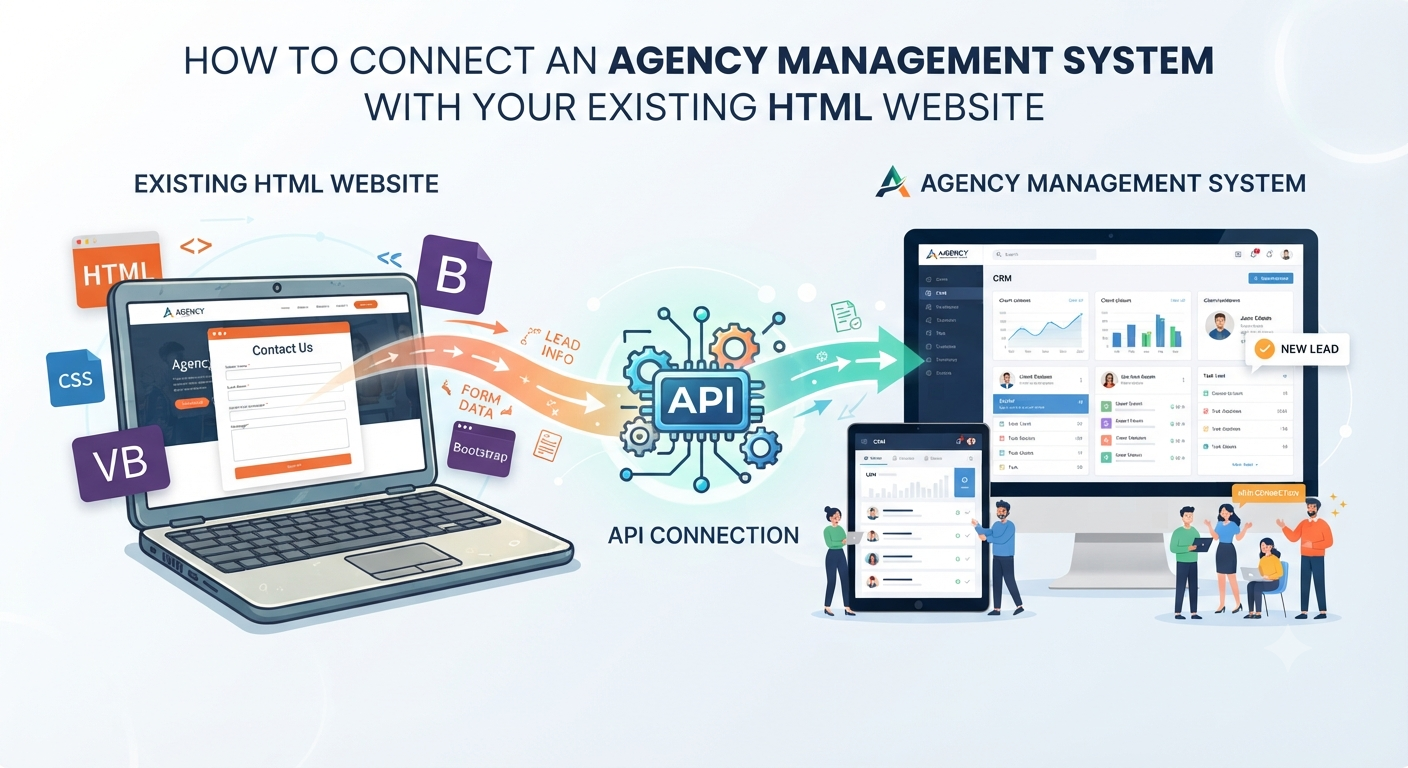
How to Connect an Agency Management System With Your Existing HTML Website
Let’s say your website is already doing its job. Maybe it’s built with HTML, CSS, JavaScript, Bootstrap whatever mix you have going. It gets ranked on Google, brings in enquiries, represents your brand well, and brings in new business. So, what’s the problem?
Usually, things get messy when the leads start rolling in. Someone needs to copy every contact into Excel, share details on WhatsApp, update the CRM, give the lead to the right team member, and remember to follow up. Not exactly efficient and sooner or later, some of those enquiries will fall through the cracks.
Here’s the good news: you don’t have to scrap your existing website to fix this. You can connect your HTML site to your agency management system with APIs and dynamic integrations. Your website keeps doing what it does, and the management system handles everything on the backend.
Your Website Stays No Rebuild Required
A lot of people still think you need to convert your site to Laravel, WordPress, or some other full backend before you can use a CRM or management system. Not true. That static (or mostly frontend) website HTML, CSS, JavaScript, Bootstrap, all your custom landing and service pages, your contact forms, SEO all of it can stay. Your management system works separately and just talks to your website through an API.
So, your website stays the public face of your business. The management system hums along in the background, turning web enquiries into tasks your team can actually manage. It’s basically:
HTML Website → API → Agency Management System → CRM → Team Member → Follow-up
You modernize your operations but don’t mess with your website.
What is HTML Website CRM Integration?
This just means hooking up your site’s forms and actions to your CRM or business management platform. Here’s an example: someone visits your real estate site, fills out a form with their name, number, what they’re interested in, maybe a short message. Right now, you might get that as an email or WhatsApp and have to punch it into your CRM by hand.
With integration, that step disappears. Your website sends the data straight to the agency system through an API. Your management system gets the info and automatically creates a new lead. The sales team sees it in the CRM and follows up. No drama.
How Does CRM API Integration Actually Work?
An API (Application Programming Interface) is just a way for two systems to talk. Your website doesn’t care how the CRM works inside it just knows where to send the info.
So, when someone submits a form on your site, the JavaScript handler grabs the data and sends it to the API. The management system receives the info, adds the lead, assigns it, and triggers follow-up. Info might include name, email, phone, company, what they want, the page they visited, UTM tags, even the time. The system processes what it needs based on your business rules.
Picture it like this:
Website Form → JS/Form Handler → CRM API → Agency System → Lead Assigned → Follow-up
How a Five-Year-Old Site Gets Integrated
Take a digital agency with an HTML website that’s been going strong for five years. The agency wants to manage leads, clients, projects, and all that from a central system. There’s zero need to start over. Integration looks like this:
- The visitor lands on your familiar website.
- They fill out the enquiry form.
- JavaScript (or whatever’s handling forms) sends the lead info to the management system.
- The backend validates the data to block spam or junk.
- The system creates the CRM lead.
- The lead source is tracked maybe from the website, Google Ads, Facebook, referrals, you name it.
- The lead gets assigned to a salesperson automatically.
- Your team sees it in the CRM and follows up.
Everything happens faster, and manual steps disappear.
Laravel API Integration How It Connects
If your management system is built with Laravel, integration is straightforward. You don’t need to turn your whole website into a Laravel app. The Laravel backend just exposes API endpoints like POST /api/leads, ready to receive your website’s lead data.
When a form is submitted, the Laravel API:
- Checks the request.
- Verifies API credentials.
- Cleans up the data.
- Checks where the lead came from.
- Stores the lead.
- Assigns it to the team.
- Logs the action.
- Triggers a follow-up.
Now, your website and backend are firmly separated. No need to tangle the two.
What’s an Agency Management API Really Do?
It’s the messenger between your website (or any other connected tool) and your management system. Instead of entering data by hand, your tools send and receive info automatically through endpoints. You can create leads, fetch lists, add notes, generate quotations the endpoints are as flexible as the system allows.
You’re not limited to just a website, either; you can connect mobile apps, landing pages, or anything else that can make HTTP requests.
Making Your Site Dynamic, One Piece at a Time
Maybe you want to keep your site static, but manage certain pages or sections with dynamic data. Your website grabs things like services, projects, team bios, or testimonials from the backend API. Blog posts, products, job openings if it changes a lot, just pull it from your system. You don’t have to rebuild the site just make the changing parts dynamic.
Start Small Integrate Lead Forms First
You don’t need to integrate everything from day one. Most agencies start by hooking up lead forms. The process is simple: contact form → API → new lead → CRM → assigned to team → follow-up.
Once that’s working, you can connect more stuff bit by bit quotations, bookings, job applications, project enquiries, newsletter signups, payments, support tickets. Take it slow and test as you go.
What Actually Happens When a Lead Gets Submitted?
A proper integration doesn’t just dump a name and number into a database. It captures the full story: who contacted you, what service they want, what page they used, the campaign, the date all of it. That’s gold when you’re running multiple marketing channels.
Security Isn’t Optional
Connecting your site to a backend system means you need to pay attention to security. That means:
- API authentication don’t let just anyone post data.
- Use HTTPS.
- Validate all requests.
- Sanitize inputs.
- Set rate limits.
- Configure CORS (if you’re handling requests in the browser).
- Handle CSRF if you need.
- Block spam and bots.
- Spot duplicates.
- Log errors.
- Manage permissions tightly.
Basically, give the public website enough access to create leads but never more than it needs.
What If Your Website Is Really Old?
Even older sites can usually integrate without drama. Doesn’t matter if you’re using plain HTML, CSS, JavaScript, Bootstrap, jQuery, or PHP. All you need is for your website to send an HTTP request to the integration endpoint. Most of the time, you only need to update the form handling code. No need to rip everything out and start over.
Why Connect Instead of Rebuild?
Sure, sometimes a rebuild makes sense but not just because you need a CRM. If your current site ranks well, has established URLs, backlinks, optimized content, strong design, and converts, a full rebuild is risky for no good reason. API integration means you keep what works and only upgrade what you need. Your website stays public-facing. Your backend system powers your agency’s operations.
A Scalable Setup for Agencies
In a well-planned system, everything connects and scales as you grow:
EXISTING WEBSITE
HTML / CSS / JS / Bootstrap
▼
API Gateway
Laravel Backend
┌────┴────┐
▼         ▼
CRM     Projects     Quotations
│         │           │
└────┬────┴────┬──────┘
▼
Agency Operations
┌────┼────┬────┐
▼    ▼    ▼
Team  Follow-ups  Reporting
Your website keeps drawing in customers. The management system does the heavy lifting.
The Real Benefit? Marketing and Operations Finally Talk
Here's the thing a lot of businesses keep marketing and operations separate. The site brings leads. The team manages leads. When things are connected, leads flow through without anyone having to copy, paste, or remember to follow up.
A visitor becomes a lead. A lead becomes an opportunity. An opportunity gets followed up. Someone closes the deal, moves the project forward, bills the client and it all happens without manual chaos.
When Should You Consider This Integration?
You’re ready if:
- Your site gets real enquiries.
- Your team has to copy leads into the CRM (or, worse, tracking things in Google Sheets or on WhatsApp).
- You’re losing track of follow-ups.
- You want to track sources, assign leads automatically, or just have smoother operations.
- You have a working Laravel system, or you know your backend tech.
- You don’t want to redo what’s already working.
No Need to Start Over
Honestly, the point of tech should be to solve problems, not create new ones. If your HTML/CSS/JavaScript/Bootstrap site is already working, you don’t need to rebuild just because your business is growing. Connect the website to a solid backend with an API. Leads get stored, assigned, tracked, and followed up without anyone retyping the same details for the tenth time. If your backend runs on Laravel, you’re set for even more integrations later on.
In the end, leave what works alone, and connect what needs to grow.
Final Thought
Don’t start over for the sake of it. If your site brings in leads, give your team the connected tools to handle them without doubling their workload or introducing new headaches.
With the right API setup, your existing website becomes a true part of your business operations. You connect leads, CRM, team members, follow-ups, projects, quotations, and everything else no need to rebuild, just link them with smarter workflows.
So, keep your website and let it do its thing. Upgrade what’s behind the scenes. That’s how you scale without losing what already works.