
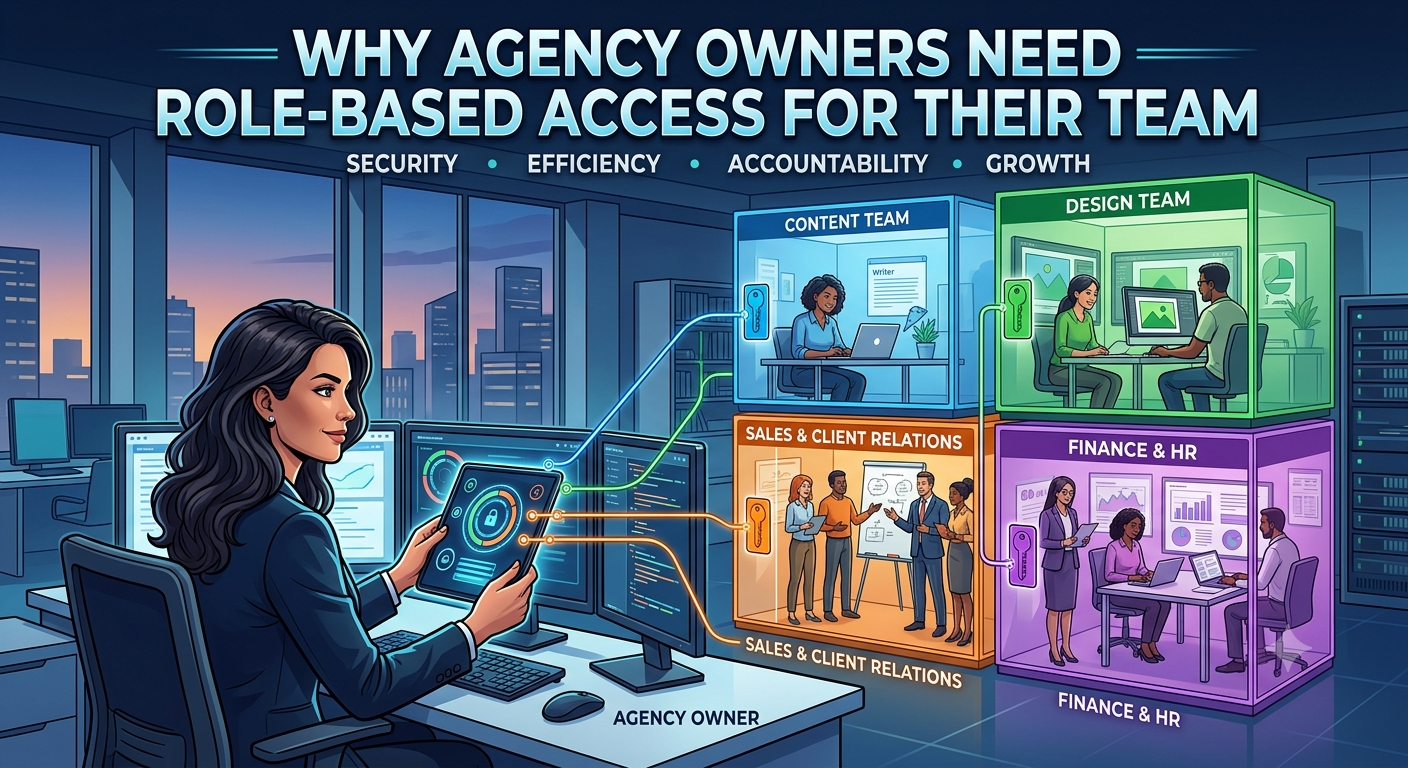
Role-Based Access Control: A Must for Agency Owners
Running an agency isn’t just about landing clients and knocking out projects. Once your team gets bigger, you run into another headache: figuring out who should be allowed to see or change what inside your business.
When you’re starting out, setting up access controls probably feels pointless. Just a handful of people are working together, everyone can see everything, and it’s faster to let folks jump into different tasks. Sharing broad access just makes sense until it doesn’t.
Once the team grows, that free-for-all starts causing problems. Your sales exec doesn’t need to poke around the technical stuff. Your project manager shouldn’t be messing with system settings. And, honestly, the new content writer really doesn’t need full access to user accounts.
Letting everyone have the same level of access just gets in the way of how your agency really works.
That’s where role-based access comes in.
Here’s the simple idea: Give each team member enough access to get their job done but nothing more.
What Is Role-Based Access?
Role-based access means you give people permissions that match their actual responsibilities. Instead of hand-selecting what each person can do every time someone joins, you set up clear roles, assign the necessary permissions, and just drop people into the right roles.
Think of it like this:
- Administrator: controls the system and users
- Sales: handles leads and opportunities
- Project Manager: oversees projects and deliveries
- Developer: works on technical tasks
- Content Team: manages content and campaigns
The role is what defines what you can see, create, edit, or manage. And as your team gets larger, this difference matters more and more.
Users Management: Who's In Your System?
Before you can manage permissions, you need to know who’s got access in the first place. That’s where Users Management comes in.
A good, centralized system lets you see exactly who’s in your platform. You can add new people, update info, assign roles, change access, deactivate accounts, and remove former team members. If your team’s small, you can probably keep all that in your head. But once you’re juggling 25 employees, a handful of freelancers, and multiple departments, things get messy fast.
You don’t want to be left guessing:
- Who can open client files?
- Who can change project details?
- Who can mess with user permissions?
- Does someone who already left still have access?
Users Management answers those questions, right on your dashboard.
Roles Management: Turning Jobs Into Permissions
Users Management tells you who’s in the system. Roles Management tells you exactly what they’re allowed to do.
A user account doesn’t really mean anything without a clear role. That’s where you spell out boundaries. Your sales exec should update leads not fiddle with system settings. Your developer needs to see technical tasks but doesn’t need the keys to sales or HR tools. Your content manager wants content tools nothing more.
Roles make these boundaries obvious and easy to set.
Different People, Different Work, Different Access
A classic agency mistake: thinking everyone should get the same access, just because they’re on the payroll. Reality check they shouldn’t. Different jobs, different workflows, and the system should fit that.
Administrators: The Platform’s Gatekeepers
Admins handle the backend the core system, settings, users, configuration, leads, reports, and more. They need wide access but that doesn’t mean everyone should get admin rights. Make it intentional. Only hand out these privileges when absolutely necessary.
Sales Teams: Chasing Opportunities
Sales needs tools for tracking leads, talking to prospects, updating client data, moving deals forward, and logging notes. They definitely don’t need access to user accounts or to tweak system admin controls. Keeping sales focused keeps their workspace clean and secure, so they can spend their energy selling, not sorting through irrelevant features.
Project Managers: Overseeing Delivery
Project managers step in once the deal is closed. Their world is all about creating projects, assigning tasks, checking deadlines, and keeping things moving. They need to see what’s happening across their projects, but that’s it they shouldn’t have the run of the whole platform.
Developers: Building Without Distraction
Developers work on code, technical specs, bugs, implementation notes, and updates basically the stuff you need to make the product work. They don’t need sales info or permission to change the main system setup. Give them direct access to development tools, nothing more.
Content Teams: Focused Creativity
Content folks are responsible for blogs, websites, social posts, campaign calendars, and all the writing. Their tools are completely different from the rest of the team. They don’t need access to sensitive client data or system settings, and keeping their workspace focused makes everyone’s lives easier.
Why “Everyone Is an Admin” Fails, Fast
Let’s be honest, it’s tempting to just make everyone an admin. It’s simple, saves a couple clicks, and sounds fine until someone accidentally deletes a record, changes a major setting, or stumbles into sensitive data. The problem isn’t the people, it’s the system. You want guardrails that prevent those mistakes, not wishful thinking.
Role-Based Access Cuts Extra Risk
Agency systems contain tons of business info: leads, clients, projects, financials, team data, you name it. Not everyone needs all of it. Assigning access by role limits who sees what sales gets sales, projects get projects, dev gets dev, content gets content, admins get everything else. Simple and intentional.
It Makes Onboarding and Offboarding Easier
You bring in a new team member, you shouldn’t spend hours deciding one permission at a time. With role-based access, you just assign their role as they start done. They get what they need from day one. If someone moves on, deactivate their account. If someone gets promoted, change their role. Easy.
Roles Evolve with the Agency
People grow, too. A developer might shift into project management, a sales exec could move up to sales manager. All it takes is tweaking their role no need to build new accounts from scratch.
Accountability Becomes Clear
Role-based access shows who owns what. Sales owns selling, project managers own delivery, developers own building, content teams create. Everyone knows where their job drops off and someone else’s starts. That kind of clarity is especially important when teams start to overlap or grow.
Stick to the Principle: Least Privilege
The goal here isn’t to give maximum access it’s to give just enough for people to do their work, and no more. That makes things safer and simpler for everyone.
Role-Based Access: More Than Security
Sure, it’s more secure but it’s also just practical. Agency life is hectic. Role-based access organizes teams, keeps things tidy, speeds up onboarding, and, honestly, lets people focus on their own work instead of wading through tools they’ll never need.
Build a Purposeful Access System
A well-run agency hands out keys purposefully. Sales has tools for selling, project managers get tools for delivering, developers get their own tools, content has theirs, and only a few people need admin rights. You don’t want a tangled mess of permissions. You want access that matches responsibility.
As your agency grows, you need a tighter grip on who can do what. Users Management tells you who’s got access. Roles Management lets you decide exactly what each person can change or see. Together, you run the whole operation without micromanaging letting everyone work freely, but inside clear boundaries.
The best access system is the one that gives everyone exactly what they need to work nothing extra, nothing missing. That’s how you keep your agency moving forward without the chaos.