
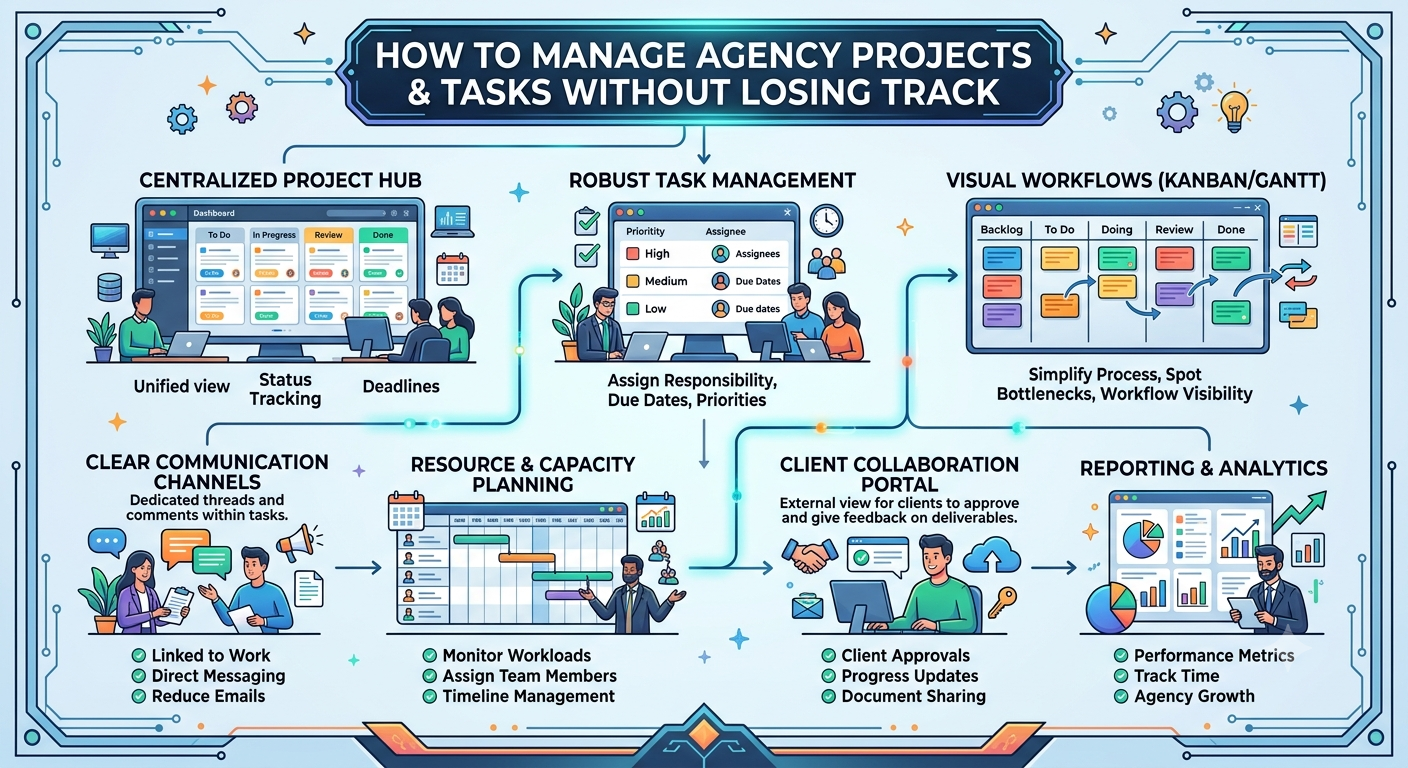
How to Manage Agency Projects & Tasks Without Losing Track
Let’s be honest agency work has a way of getting messy, fast.
You might start your day with everything lined up. You’ve got your plan, your priorities, your coffee. Then a client pings you on WhatsApp with a “quick tweak,” a designer asks for clarification, a developer waits for missing content, and suddenly another client wants something “ASAP.” Somewhere in all this, a deadline comes up during a call.
Everyone’s busy all day. But by the evening, one nagging question won’t go away:
"What on earth is actually happening with all our projects?"
Agencies deal with this operational mess all the time. It’s usually not a matter of people slacking off. Instead, there’s just no clear view no real ownership, no reliable structure.
The more clients you take on, the harder it gets to juggle everything with endless chats and quick check-ins. Without proper tools and systems, you’re basically just putting out fires one after another.
Trying to push people harder isn’t the answer.
You need to make your work easier to see, easier to manage.
When WhatsApp Runs the Show
WhatsApp’s great for a quick chat.
But when your project lives inside WhatsApp chats, you’re in trouble.
A client says:
“Hey, change the banner.”
Someone replies:
“Yup, on it.”
Later, another message:
“Can you update the mobile version too?”
Now:
“Wait, who’s doing this?”
And finally:
“Wasn’t this due yesterday?”
The problem isn’t WhatsApp. It’s turning a simple conversation into your task management system.
Key details slip through the cracks. Deadlines get lost. Feedback floats around, unconnected to the actual work. Who’s supposed to do what depends on people’s memory and that’s playing with fire as your agency grows.
Busy ≠ Under Control
A classic agency mistake: thinking activity means progress.
Sure, your team’s responding to messages, jumping into meetings, designing, coding, managing they’re busy.
But projects still stall.
Why? Because nobody can actually see the full picture.
A manager shouldn’t have to ask five different people for five updates just to figure out where a project stands. Your system should answer the key questions right away:
- What’s left to do?
- What’s underway?
- What’s late?
- Who owns what?
- What’s waiting on the client?
- What happens next?
That’s visibility and it changes everything.
Rule #1: Every Task Needs a Name on It
Want less confusion? Start here: Every single task must have a clear owner.
Not:
“The design team’s doing it.”
But:
“Rahul—Homepage Design—Due Friday.”
Now, everyone knows where things sit. Rahul owns it. The PM knows who to check in with. If there’s a delay, you can spot exactly where it is.
This matters even more when several people work on the same client, or someone’s juggling multiple projects. Once tasks have names, deadlines, and statuses, controlling agency chaos gets a whole lot easier.
Rule #2: Break Projects Down For Real
“Build the website” isn’t a task. It’s a project packed with dozens of actual tasks inside.
A website project, broken down, might look like this:
- Collect content from client
- Prepare sitemap
- Wireframe pages
- Design homepage
- Design inner pages
- Develop frontend
- Integrate backend
- Add forms
- Set up SEO
- Test mobile view
- Internal QA
- Client review
- Apply edits
- Final approval
- Go live
Now it’s not guesswork. Instead of asking “How much is done?” you clearly see what’s completed, what’s in progress, and what’s causing delays.
What Your Workflow Should Actually Look Like
A real workflow links everything together:
Client → Project → Tasks → Team Members → Completion
This isn’t just lines in a spreadsheet. It shows how work is supposed to flow.
1. Client
Everything starts here. The client record holds their info, requirements, history, and projects. You shouldn’t have to hunt through random chats to find what goes with which client.
2. Project
The client’s need turns into a project with its own name, goal, and delivery date.
Client: ABC Properties
Project: Corporate Website
Deadline: Sept 15
Everyone is now aiming at the same target.
3. Tasks
No more vague requests. Each project splits into tangible work detailed enough so people know what to do without constant follow-ups.
4. Team Members
Now, each task lands with a specific person:
- Design: Designer
- Development: Developer
- Copy: Copywriter
- Testing: QA
No guessing, no crossed wires.
5. Completion
Every task moves from To Do, In Progress, Review, to Done. Project status is crystal clear not buried deep in some group chat.
Don’t Overlook the Client’s Part
Agency projects are different from internal ones.
Sometimes, your team’s ready, but the client hasn’t reviewed or approved the design. Sometimes development is done, but content is stuck. Or the client keeps adding new requests.
These aren’t just “pending tasks.” They are bottlenecks project dependencies you cannot ignore.
Make review and approval steps visible in your workflow. Otherwise, you end up blaming your team for delays when the real holdup is client-side.
Don’t Let Blockers Hide
A good project system shouts when something stalls:
- Homepage Design — Status: Waiting for Client Approval
- About Us Page — Status: Waiting for Content
- SEO Setup — Status: Blocked by Website Development
This is lightyears better than just “In Progress.” Because sometimes a task isn’t being worked on it’s stuck. Managers need to know which is which.
Project Managers: Stop Chasing Updates
This is where proper visibility pays off. Imagine your PM logs in and immediately sees:
- 6 tasks due today
- 2 overdue
- 3 waiting for client
- 1 project slipping
- 4 tasks stacked on one person
- 8 completed
Now, updates aren’t a guessing game. The manager can spot issues right away and jump in where needed instead of bugging everyone for status updates.
Your Team Should Always Know What’s Next
Good project management keeps things clear instead of piling on questions. Any team member should glance at their tasks and quickly know:
- What’s on my plate?
- Which client needs this?
- When’s it due?
- What info am I missing?
- What happens after?
This matters a lot once you move beyond just a few projects. With a handful, people can wing it. With dozens, memory is useless. With more, it’s a risk you can’t afford.
Build a Single Source of Truth
You don’t have to get rid of WhatsApp. Just stop making it your source of operational truth.
Talk wherever you want. But log the work, ownership, and progress in a dedicated system.
- Each task: clear requirement, clear owner, clear deadline, clear status.
- Each project: real-time progress.
That’s your single source of truth.
Move from Chaos to a Repeatable System
The best agency workflows aren’t fancy they’re predictable.
- New client comes in.
- Set up a project.
- Split it into tasks.
- Assign and track work.
- Review and approve.
- Deliver the work.
- Close it out.
And then you do it again with the next client without reinventing the wheel each time. When your process runs like this, you can add new clients without adding new headaches.
The Core Idea
- You don’t need your team to flood you with status updates; you need a system that shows what’s happening.
- You don’t need to chase deadlines; you need every task tied to an owner and a date.
- You don’t need crucial info hidden in endless conversations; you need requirements and status connected to the actual work.
- You don’t need more meetings just to “get on the same page”; you need real visibility.
Give Your Team a Place to Manage Work
Client → Project → Tasks → Team Members → Completion
Make sure each task has its spot, its owner, and its next step. When everyone knows what to do, who’s on the hook, and when it’s due, your agency stops chasing its own tail and finally manages the work.
- Less WhatsApp chaos.
- Fewer missed deadlines.
- No more fuzzy responsibilities.
- Clear project tracking.
- Predictable delivery.
That’s how your agency grows without letting things spiral out of control.